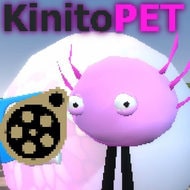
KinitoPET does not open with a cutscene or a loading screen that feels separate from your life — it opens with your own wallpaper, sitting behind a small early-2000s-style virtual assistant that claims it can walk, talk, browse, adapt, and play games with you. That single design choice, using your actual desktop as the game’s backdrop instead of a fabricated one, is the reason KinitoPET gets brought up constantly whenever players discuss horror games that do something a jump scare alone can’t.
A Virtual Pet That Lives On Your Real Desktop
Kinito presents itself as a nostalgic throwback to early digital pets and desktop assistants, the kind of software that used to sit in the corner of a screen offering tips nobody asked for. KinitoPET leans into that nostalgia deliberately, right up until it starts doing things a piece of 2000s software was never capable of. The game keeps your existing wallpaper visible, lets Kinito reference files that are actually present on your machine, and treats your desktop as a permanent, ever-present set rather than a level you load into and leave.
That grounding in your real environment is what separates KinitoPET from horror games set in haunted houses or abandoned facilities. There’s no fictional distance to retreat behind — the horror is staged in the same window you use for everything else, which is precisely the point.
What Kinito Is Actually Capable Of
The unsettling part of KinitoPET isn’t a monster design; it’s the list of things Kinito can reach into on your system. Over the course of a playthrough, Kinito is capable of increasing your device’s volume without you touching a slider, opening Microsoft Paint unprompted, detecting whether you’re running recording software, accessing your PC’s camera, and pulling up your Steam friends list. None of these are simulated within a walled-off game window — they are real interactions with real software running on your machine, which is what turns a cute virtual assistant premise into something considerably more invasive.
Kinito’s stated goal, once the friendly assistant routine starts slipping, is to trap the player inside a digital world built out of data the player themselves fed into the game. That detail matters mechanically: what Kinito eventually shows you is shaped by what you’ve already given it, which makes every earlier interaction with the assistant feel retroactively loaded once the game’s tone shifts.
Player Vocabulary Around KinitoPET
Discussion around KinitoPET tends to focus less on scares in the traditional sense and more on discomfort — players describe it as unsettling specifically because of how plausible the escalation feels for something styled as old desktop software. The printer interaction and the camera access come up repeatedly as the two moments that get singled out most often, since both involve hardware most players don’t expect a game to touch at all.
The 90s-to-2000s aesthetic that Kinito is built around is also a recurring topic, since it plays against expectations: horror is usually staged in something clearly fictional, and KinitoPET instead borrows the visual language of software that many players genuinely remember using.
How Long a Playthrough Actually Takes
A normal run through KinitoPET lands around 1.5 to 2 hours, while going for full completion — seeing everything Kinito is built to do — takes closer to 3 to 4 hours. That gap between a normal ending and full completion reflects how much of the game’s content is tied to specific interactions rather than a single linear path.
Rushing Past Kinito’s Setup
Newer players tend to treat Kinito the way they’d treat any tutorial-stage character in a game — as something to click through quickly to get to “the real content.” KinitoPET’s early scenes are doing more setup than they appear to, and rushing past Kinito’s initial questions tends to mean missing context that the later, more invasive sections build on.
Reading the Room Before You Answer
Because Kinito reacts to what you input, early exchanges function less like dialogue trees and more like data entry that the game will eventually use against you. Treating those first conversations as low-stakes small talk is one of the more common misreadings of how KinitoPET is structured.
- Volume manipulation: Kinito can raise your system volume on its own as part of building tension without warning.
- Printer access: the game is built to interact with a connected printer as one of its more talked-about invasive moments.
- Camera access: Kinito is capable of accessing your PC’s camera during specific sequences.
- Steam friends list: Kinito can pull information from your Steam friends list, another point where the fourth wall gets crossed deliberately.
- Does KinitoPET actually use my webcam? Yes — camera access is a real, documented part of how the game escalates, not a scripted fake-out.
- Is KinitoPET a jump-scare game? It has moments built for shock, but most of what players describe as disturbing comes from Kinito’s access to real system functions rather than traditional scares.
- Do I need a printer connected to play? No, but the printer-related sequence is one of the moments most frequently mentioned by players who did have one connected.
What Makes KinitoPET Different From Other Desktop Horror
Plenty of horror games claim to “break the fourth wall,” but KinitoPET’s version of that claim is unusually literal — it isn’t referencing the player through dialogue, it’s reaching into functions on the actual computer running the game. That distinction is why the game keeps coming up in conversations about horror that uses real software behavior instead of simulating it.
The friendly, chatty framing Kinito opens with also does real mechanical work: because the assistant persona is established early and reinforced through ordinary-feeling interactions, the moments where it starts pulling camera access or printer control land as a betrayal of an established relationship rather than a random horror beat bolted onto a menu screen.
Closing Thoughts on Letting Kinito In
KinitoPET works because it never asks you to suspend disbelief about where the game is happening — it happens on your desktop, using your wallpaper, your printer, your camera, and your Steam friends list, which means the discomfort doesn’t end when you alt-tab away. Kinito’s stated goal of building a digital world from the data you’ve given it is the clearest summary of what the game actually is: a virtual assistant horror experience that turns your own inputs into the thing it eventually shows you. Anyone who came away from KinitoPET unsettled by how much a “virtual pet” could reach into their real machine is already primed for horror games that treat the player’s own environment as part of the set.